SneakPeek was built to save you money, not to promise you’ll make it. That distinction guides this release, too. If you need to capture screenshots, generate PDFs, or add link previews to your website, the goal is to give you a tool you can run on your own infrastructure, without turning every new feature into another service to subscribe to 😁.
SneakPeek Suite is not a SaaS, and it never will be
Version 4.0 continues in that direction with a new link preview widget, OpenTimestamps integration for screenshots and PDFs, and improvements to the capture engine, file management, and user interface. These are not unrelated additions. They are different ways of pursuing the same goal: helping you do more with a system you control.
Link Previews Without Another Subscription
A preview can help visitors understand where a link leads before opening it. Adding that feature to your website should not have to mean adding a permanent dependency on another hosted service.
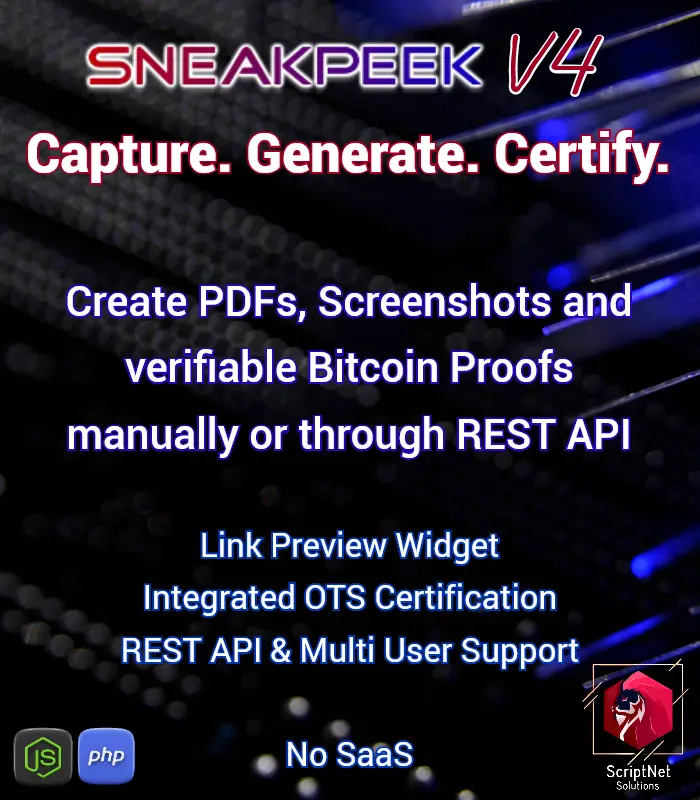
That is the idea behind SneakPeek’s new Link Preview Widget.
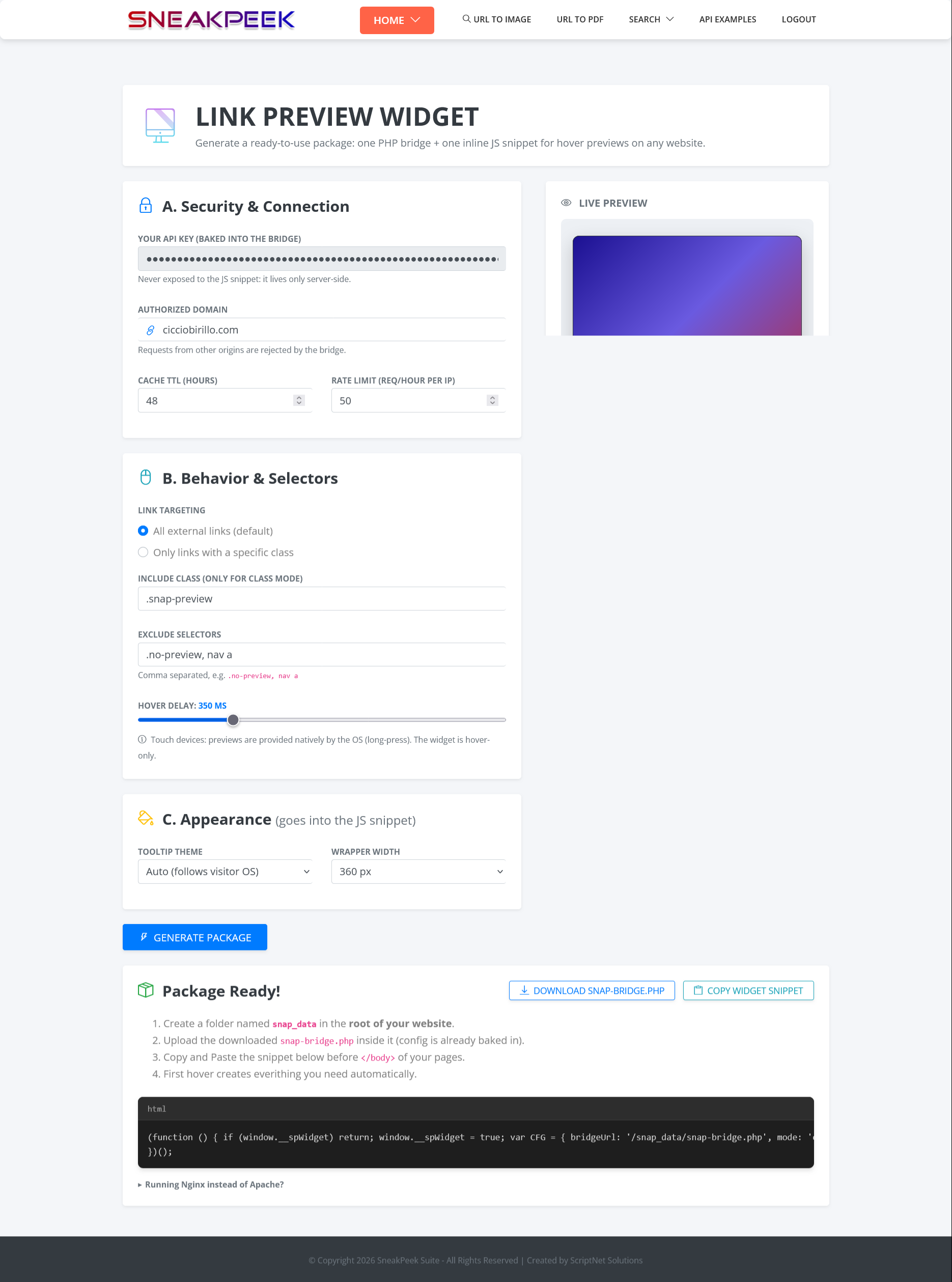
The generator produces a self-hosted PHP bridge and a JavaScript snippet to embed in your website. When a visitor hovers over an external link, the widget displays a preview of the destination page. The important part is where those captures live: on the server of the website using the widget. Once available, previews are served from that server without requesting a fresh capture from SneakPeek on every hover.
The work of generating and serving an image does not disappear. It simply does not need to be repeated unnecessarily. The bridge includes a hardcoded authorized domain, along with per-IP and global hourly rate limits, to help restrict its use to the intended website. The widget is deliberately designed for hover interactions on pointer devices. It does not attempt to force that same interaction onto touchscreens.
One more feature for your website, with captures stored on your server, and no separate link-preview subscription.
From Captures to Verifiable Proofs
Sometimes, a screenshot is simply a convenient way to view a page. Other times, you want to preserve it (or a PDF) and keep a verifiable proof alongside the file.
SneakPeek 4.0 introduces OpenTimestamps integration, adding a timestamping workflow for screenshots and PDFs with anchoring to the Bitcoin blockchain. The approach is the same: bring the capability into the tool that already generates your files, rather than making you move them manually between separate interfaces and processes.
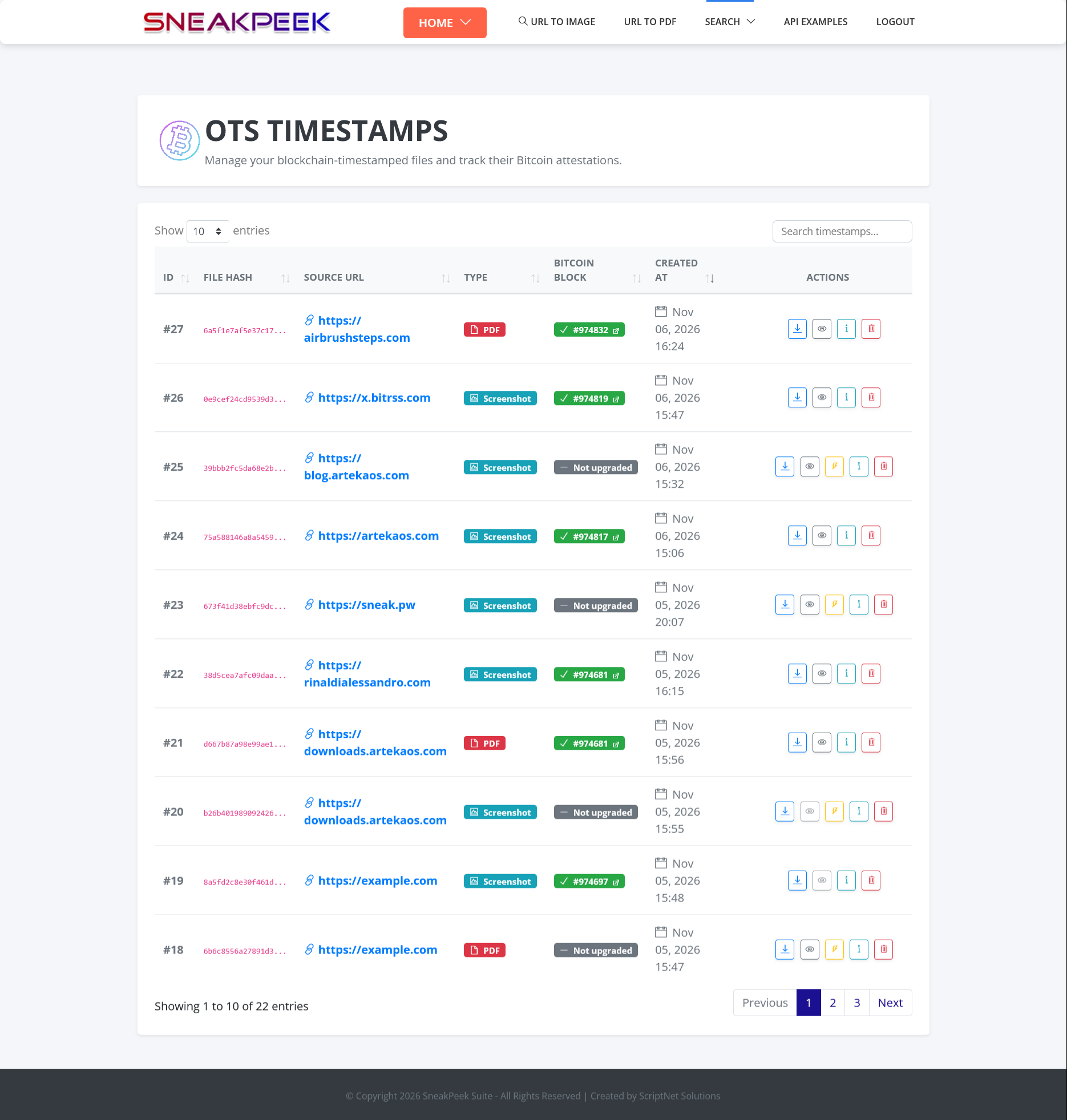
After generating a screenshot or PDF manually, you can initiate timestamping directly from the results page. Dedicated stamp and upgrade endpoints support automated workflows through the API. The new OTS Manager brings timestamp records together in one place, with:
– Per-record statuses: Stamped, Pending, and Anchored.
– Proof upgrade operations.
– Direct links to Bitcoin Mempool for further inspection.
Those stages remain visible throughout the workflow. Initiating a timestamp and having an anchored proof are not presented as the same event. The point is not to add “blockchain” to a feature list. It is to make timestamping manageable alongside the files it relates to, whether you work through the interface or the API.
Saving Resources Means Avoiding Unnecessary Work
Owning your infrastructure is only part of the equation. How the software uses it matters, too. A substantial part of version 4.0 focuses on the capture engine and how the system handles concurrent work. These changes are less visible than a new widget, but they follow the same principle: do not waste resources on work that can be handled more efficiently.
The page-loading strategy has been revised, replacing `networkidle2` with `domcontentloaded` followed by controlled waits. This change targets unnecessary waiting and capture requests that would otherwise hang. File Manager and OTS Manager now use server-side pagination, so displaying a single page of records no longer requires loading an entire collection into memory.
Cache handling has also been improved, including a fix for a race condition that occurred when multiple workers served the same URL simultaneously. The cache key now includes the user’s custom trademark image URL, preventing collisions between accounts capturing the same page with different branding. Less duplicated work, more reliable concurrency handling, and better use of available resources: that is where the engine improvements matter.
Tighter URL Validation and More Reliable File Handling
A system that captures content from external URLs also needs to pay close attention to the addresses it accepts. In version 4.0, SSRF protections have been extended to cover IPv6 and IPv4-mapped address ranges, alongside stricter URL validation across endpoints. Several edge cases in the OTS workflow have also been addressed, including file-type validation, source-file lookup, and serialization order during chained proof upgrade and information requests.
These are not headline features. They are the work that helps make the headline features reliable.
A Dashboard That Brings It Together
With screenshots, PDFs, and timestamps in the same system, the interface should help you follow their activity without making you search through separate pages. The updated dashboard brings together a daily activity chart for screenshots, PDFs, and OTS operations, along with timestamp counters and an “On Bitcoin” count.
The Recent Activity table also displays inline OTS status badges, making timestamp progress visible during everyday use.
Behind the interface, database queries have been consolidated, while navigation and page layouts have been made more consistent.
The goal is not to fill the dashboard with numbers. It is to make it easier to see what has been generated and where its timestamping process stands.
Your Infrastructure, Your Choice
Self-hosted doesn’t mean free of costs. You still need a server, resources, and someone to maintain them. But there’s a difference between investing in infrastructure you control and paying another subscription simply to keep using a feature.
That’s what SneakPeek is about. No SaaS dependency, no recurring feature fees, no artificial limitations designed to push you into another plan. Just software you own, run, and integrate into your workflow
Version 4.0 brings three things together: link previews, verifiable timestamps, and a more efficient capture engine. Different features, one idea: give you more capabilities without adding another subscription to your monthly expenses.
See SneakPeek 4.0 in Action
Explore the Live demo to see the updated interface and workflows, or visit the shop to get SneakPeek for your own infrastructure.